

Archicad objects with the quality your project deserves.
Packs by category, made with the same care as Archicad's built-in objects and built to market standards.
Black Friday, no tricksJoin the waitlist for the English version

Released in the last few days
The Rainscreen Facade pack is out, and the other four packs got a new version in November. Existing buyers got everything without paying again.
See all updates → News on Instagram too: @arviabim.br- 17 NovLighter 3D 3 packs
Sun Louvers 1.2.1, Rainscreen Facade 1.0.1 and Raised Floor, Ceilings & Partitions 1.1.1: the same look, with much less geometry to orbit and select.
- 17 Novnew packRainscreen Facade 1.0
Five parametric rainscreen facades: porcelain, ACM, extruded terracotta, HPL and perforated corten.
- 17 Novnew objectSun Louvers 1.2
The Random Horizontal Slat Screen joins the pack, and the Random Vertical Slat Screen gets a density parameter.
- 15 NovRaised Floor, Ceilings & Partitions 1.1
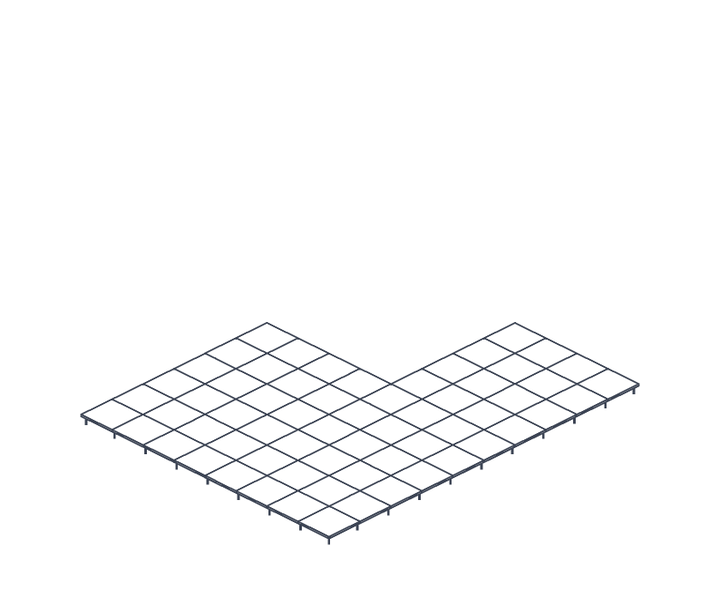
The pack's biggest revision yet: more complete floor, ceilings and partitions.
Parametric object packs
Each pack fixes a limitation of the built-in library. Pick only what your practice needs.



Already in the works. Pack owners vote on what comes after it.
isn't in any pack yet.
I can make it to order, to the same standard, or it may go into a future pack.
Suggest this objectIt's not a 3D block with a nice name. It's a real Archicad object.
Behaves like a native object
Same floor plan, same symbols, same settings pages. Options with no effect are greyed out, never left active for no reason.
Standard sizes
Starts at standard commercial sizes from the first click: door 0.80 × 2.10, accessible door 0.90, garage door 2.50 × 2.40.
Independent of your template
The object brings its own surfaces. Place it in any project and the result is the same.
Clear, organised settings
Archicad's own naming, organised and illustrated pages, with Surfaces and Representation always last.
Seven checks before any object goes in
- Native behaviour
- Standard sizes
- Built-in surfaces
- Clean geometry
- Performance
- Interface
- Quantity takeoff parameters
Exhaustive testing in Archicad. Every item is checked in real use, and the check is repeated with each new version of the object.
What we learn goes back into what's already released. Every advance in the script architecture is also applied to published objects, and buyers get it in the next version.
You contribute. Missing a parameter, an element or an extra function in an object? Suggest it: the feature may go into the next version. And if you find a bug, just report it.
Objects keep getting better after you buy them
Each pack has a version number and a changelog. Buyers download the new version from the same members area, at no cost, and projects stay linked.
- Bug found, bug fixed
Found something wrong? Let us know. The fix goes into the next version of the pack.
- New features
A published object still gains options, types and parameters. What already existed keeps working the same way.
- Code always under review
Scripts are reviewed with advanced GDL techniques, so the object is lighter and responds faster in the project.
The same care, at the scale your office needs
The library is made by people who implement Archicad in architecture offices. You can start with one pack, request the piece that's missing, or bring the whole office library up to the same standard.
- You are hereObject pack
A whole family sorted, ready for your next project.
View the packs → - CustomCustom object
What only your office uses, to the same standard as the packs.
Request a quote → - Your practice's libraryObject implementation
The objects your team already uses, reviewed and made parametric, organised in favourites, and the team trained to use them day to day.
Talk about implementation →
A library built on your chain's standard
Supermarkets, fuel stations, pharmacies and hotels repeat the same construction standard store after store. That standard becomes the chain's object library, used by the in-house team and by partner offices.
- The same object in every store, with the chain's specification
- In-house team and partner offices designing to the same standard
- Private library: the standard belongs to the chain and stays there
- Updated with every revision of the standard
Which Archicad versions does it work in?
Archicad 28, 29 and 30. Each pack states the versions it was tested in.
How do I install the objects?
Each pack is a .lcf file. In Archicad: File › Libraries and Objects › Library Manager › Add. The objects appear in the Arviabim folder, in the tool for each type (doors and gates in the Door tool).
How do I receive the pack after buying?
Through the Hotmart members area, right after payment is confirmed: the file, the object list and step-by-step installation instructions.
Can I adjust everything in the objects?
Yes. All parameters are open in the settings pages. The scripts are protected.
How is the next pack chosen?
By the votes of people who have already bought a pack. Anyone can suggest an object on the ideas page; approved ideas go to a vote, and whoever suggested it is credited.
Does it work with my template?
Yes. The objects bring their own surfaces and don't depend on template attributes.
Do I get pack updates?
Yes. For 12 months from purchase, every new version of the pack arrives in the same members area, at no cost: fixes, new features and performance improvements.
Can the whole office use it?
Yes. The licence is per office: the whole team can use it, on as many computers as needed.
When a new version comes out, do I lose what I've already used?
No. The objects keep the same identity: swap the .lcf in the Library Manager and your projects stay linked.
I need an object that isn't here.
Suggest it on WhatsApp so it can go into a future pack, or request a custom quote if you need it now.
Teach or showcase Archicad? Recommend the library and earn on every pack sold
Archicad teachers and content creators recommend the packs to their audience and earn a commission on every sale made through their link, paid directly by Hotmart. Joining as an affiliate is free.
- The packs in your hands
Approved partners receive the packs they recommend, to use for real in classes, videos and posts.
- Exclusive partner area
What to show in each pack, how to set up your recording studio, and content ideas that work.
- Ready-made material
Videos, animations, images and copy, plus free objects for your audience to try.
- New pack, new content
The library grows with every release, and you get the link and material for the new pack from day one.